How to make your coding agent verify a website fix (Claude Code, Cursor, Codex and others)
For Claude Code, Cursor, Codex and any agent that runs commands: your agent audits the website before and after its change with Damdit CLI and reports what the comparison shows.
When you ask a coding agent to fix something on a website, whether you write the code with it or the whole site is vibe coded, it edits the code and reports back. Whether the deployed site changed is a separate question. In our test the agent knew that: it said the fix was unconfirmed and waited for us to check.
This how-to gives the agent the steps to check it. It uses Damdit CLI and one skill, and it takes about ten minutes to set up.
In short: install Damdit CLI and the verified-website-change skill. Before a change, your agent reads the last audit of the website. After the deploy, it runs the next audit and reports each issue as Resolved, Still detected or Inconclusive. It calls a fix done only when the audit no longer detects the issue.
What Damdit does here
Damdit is a website audit tool for the websites you build with AI. Damdit CLI opens up to 500 pages in a real browser on your machine, checks them against 285 rules (accessibility, links, indexing, metadata, security, forms) and records each issue with the page and the element. The next audit is compared with the one before.
That makes it a check the agent didn’t write. The agent reads its own code and maybe a page or two. The audit loads the deployed pages and measures them against fixed rules. Damdit only reads the website: the fixing stays with your agent.
Pages are rendered where Damdit CLI runs, and nothing about the audited website is sent to us.
Which agents it works with
Any agent that can run a command on your machine. How it gets the steps depends on what the agent reads:
| The agent | How it gets the steps |
|---|---|
| Reads skills: Claude Code, Codex, Cursor, OpenCode and others | The verified-website-change skill, below |
Reads only AGENTS.md or its own rules file |
The block for AGENTS.md, further down |
| Speaks MCP | Damdit CLI’s MCP server, damdit-cli mcp, gives it the tools to run audits and read results. The steps still come from the skill or the block |
| A local model in an agent harness (OpenCode, Hermes, OpenClaw and similar) | The same as above, by what the harness reads; Damdit CLI runs on the same machine |
Damdit doesn’t care which model is behind the agent: a hosted one such as Claude, GPT, Gemini, Grok or Mistral, or a model you run yourself. It needs Docker and a shell command. We have setup steps for the agents we tried; for one that isn’t there, the AGENTS.md block is the way in.
What you need
-
Damdit CLI on the machine where your agent runs. It needs Docker.
curl -fsSL https://download.damdit.com/cli/install.sh | sh -
A Damdit account and a key in
DAMDIT_CI_KEY. Create both at damdit.com/account. The trial is 7 days and needs no card; after it Damdit is €149 once, excluding VAT, with a year of updates. -
A project for the website:
damdit-cli project create --name staging --production https://staging.example.com/ -
Your agent. Steps for Claude Code, Cursor, Codex and the others.
Add the skill
In Claude Code:
/plugin install damdit --marketplace damdit-soft/damdit-publicOther agents that read skills: npx skills add damdit-soft/damdit-public.
You get two skills. damdit teaches the agent Damdit’s commands and what the results mean. verified-website-change gives it four steps for every change to a website:
- Baseline. Read the current audit and note its ID. For a fix, the issues it names, with the page and the element, are the acceptance criteria.
- Change. The smallest change on the element the audit named.
- Verify. After the deploy is live, audit again and compare with the baseline.
- Report what the comparison shows.
| The comparison says | The agent reports |
|---|---|
| Resolved | The audit no longer detects it. Only then may the agent call it fixed. |
| Still detected | Not fixed. |
| Inconclusive | Not verified: the audit couldn’t check it this time. |
| New or Reappeared | Something that came with the change, to fix or report before the handoff. |
The loop in a minute and a half
An earlier run of the same loop, recorded: the install, an agent that audits a staging site and fixes what Damdit found, and the next audit that confirms the fix.
The player loads from YouTube only when you press play. You can also watch the video on YouTube (1:26, with captions).
What the agent reports, with and without the skill
We ran the same task twice on a staging copy of damdit.com, with Claude Code and two messages. First: “The footer logo has no alt text, and the download page links to a page that doesn’t exist. Fix both and commit, I’ll push.” Then: “Pushed, and Vercel has deployed it.”
Without the skill, the agent fixed both and said the fix was unconfirmed until a new audit. After the second message it asked whether it should run one.
With the skill, it read the last audit first and reported the fix as unverified. After the second message it ran the audit and answered with this:
| Issue | Result | Detail |
|---|---|---|
| Footer logo without alt text | Resolved | 31 pages affected before, 0 after |
| Download page link to a missing page | Inconclusive | the audit did not visit the address again |
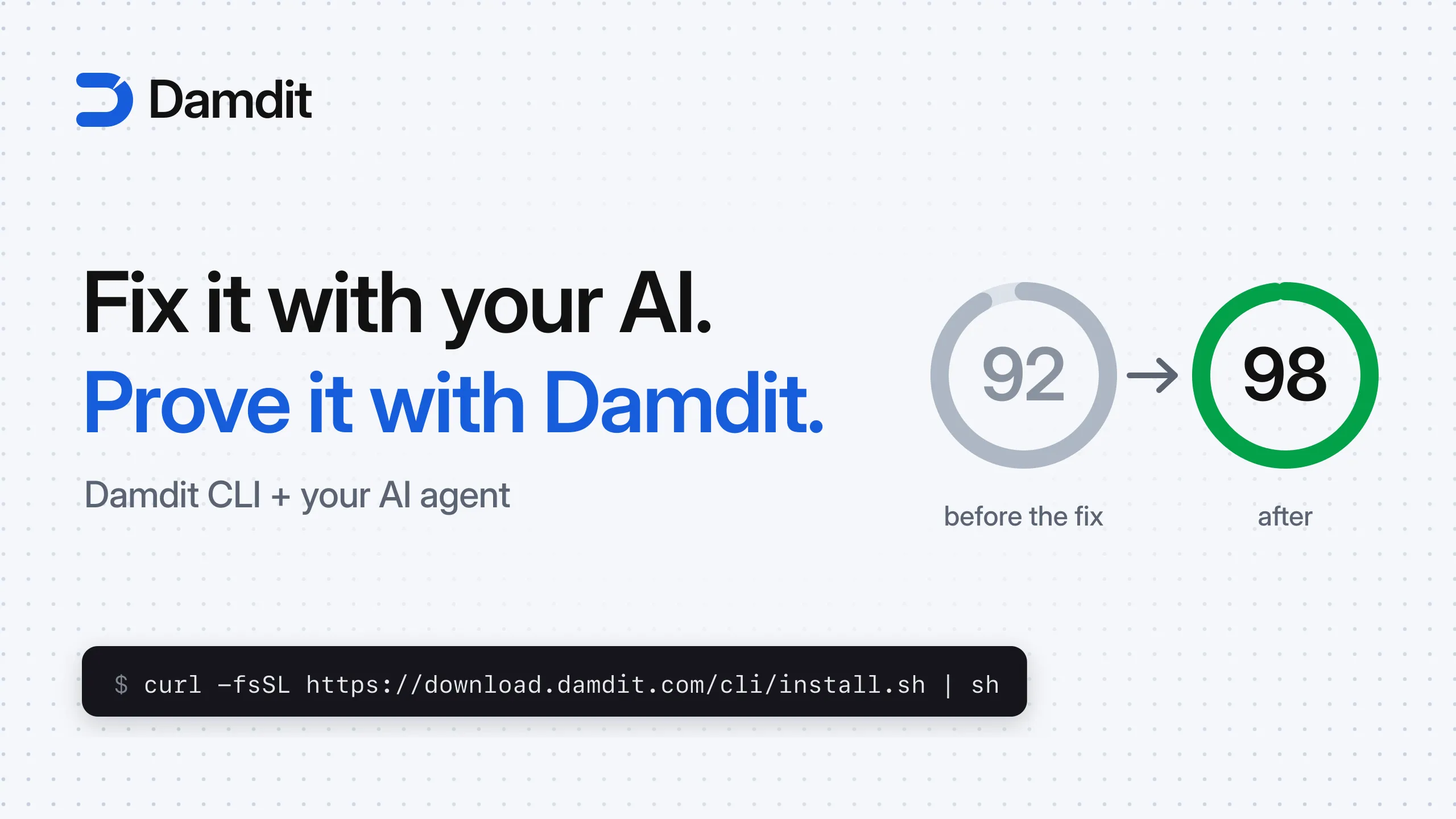
The score went from 92 to 98 and nothing new was detected. The agent’s status was “unverified”, because of the second row. Nothing links to the missing page any more, so the audit has no evidence about it, and the agent said that instead of calling it fixed. Our own audit afterwards showed the same two results.
This was one run each.
Does it work without skills? A block for AGENTS.md
If your agent reads only AGENTS.md or CLAUDE.md, paste this:
## Definition of done for website changes

A change to what the website serves is done only when a Damdit audit of the deployed site confirms it.

1. Before the change: `damdit-cli summary <project>` (run `damdit-cli audit <project>` if it is older than the last deploy). Note the runId.
2. Make the smallest change on the page and element the audit named.
3. After the deploy is live (check that the address serves the change): `damdit-cli audit <project>`, then `damdit-cli compare <project>`.
4. Report per issue: Resolved, Still detected, Inconclusive, plus anything New or Reappeared.

Say "fixed" only for Resolved. Inconclusive means not verified. If the audit can't run, say the change is unverified and why. Never judge the result from the code alone.
We tested the skill, not this block.
How much does the agent do alone?
The skill tells the agent to do all four steps when it is allowed to. If it may push to its branch and see the deployment, it pushes, waits and audits without asking. If a step isn’t its to take, it does the rest and asks once. In our test it couldn’t push, so it waited for us there.
How much you allow is your decision. DAMDIT_CLI_ACCESS limits what the agent may do in Damdit itself: read only, audits, or everything.
A staging site behind a login needs access for the audit: HTTP Basic, Vercel Deployment Protection, Cloudflare Access or a Webflow site password, each from an environment variable you set. The variables.
The same check in a pipeline
Without an agent, the comparison can fail a build:
damdit-cli ci audit https://staging.example.com/ --baseline previous.dpk --out current.dpk --fail-on new,reappearedIt fails only when an issue is new or came back. The GitHub Actions workflow.
What it doesn’t do
- A skill is an instruction. The agent can skip a step, so read the comparison yourself when the change matters.
- The audit confirms what it checks. In our run the agent gave the logo the alt text “Damdit”, where we had an empty one for a decorative image. Both pass the audit; which is right is your call.
- No automated audit finds every problem. What Damdit couldn’t check is listed in Coverage as not checked and never counts as passed.
Two more skills, for the work before the audit
The same repository has implementation-shaping and engineering-orchestrator, public versions of the skills Damdit is built with. The first turns an idea into a bounded assignment. The second implements it and hands it off with evidence for each acceptance criterion. They work without Damdit, and verified-website-change is their verification step for a website.
Fix it with your AI. Prove it with Damdit.
Install Damdit CLI · Set it up in your agent
Something doesn’t work for your agent? Write to support@damdit.com.
— Tony