
Damdit 1.0: the website audit that shows its work
A Mac app for people who look after client websites. It finds what needs fixing, shows the proof, admits what it couldn't check, and proves what changed. Out now.
Sooner or later, every client asks the same question: “Is the website OK?”
If you look after client websites, you know the two usual answers. The honest one is “I think so.” The other one is a crawler export with 340 warnings, half of them noise, none of them telling you what to do first.
I wanted a third answer. One I could back up. So I built Damdit, and version 1.0 is out for Mac.
What Damdit is
Damdit is a website audit app. You type in an address, and it goes through up to 500 pages of the site: SEO and indexability, accessibility, links and redirects, security headers, content, forms and assets.
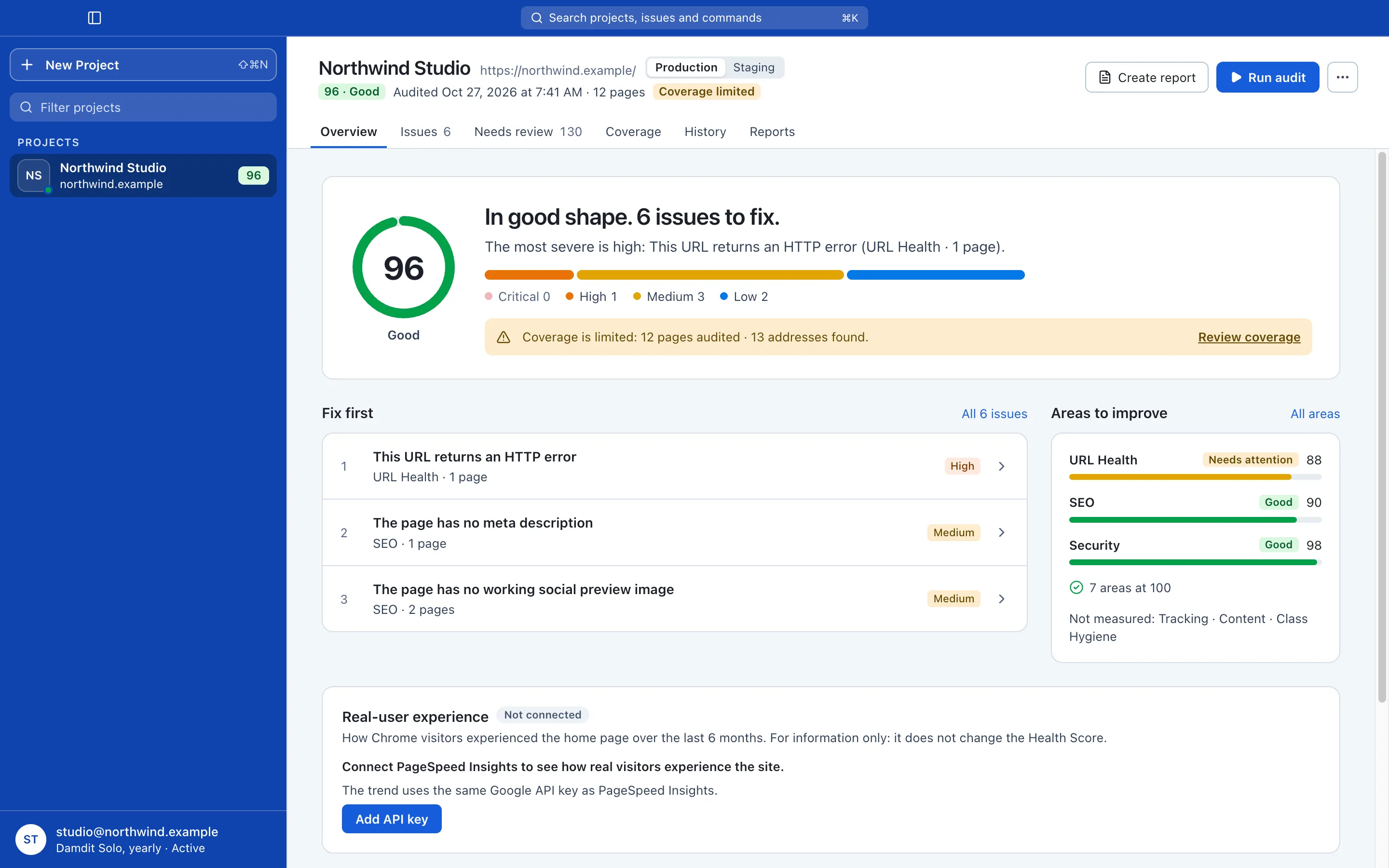
Then it tells you what to fix first. Not in a 40-tab spreadsheet, but as a short list of issues, ordered by how much they matter.
It shows its work
Remember maths class? The answer alone didn’t count. You had to show how you got there.
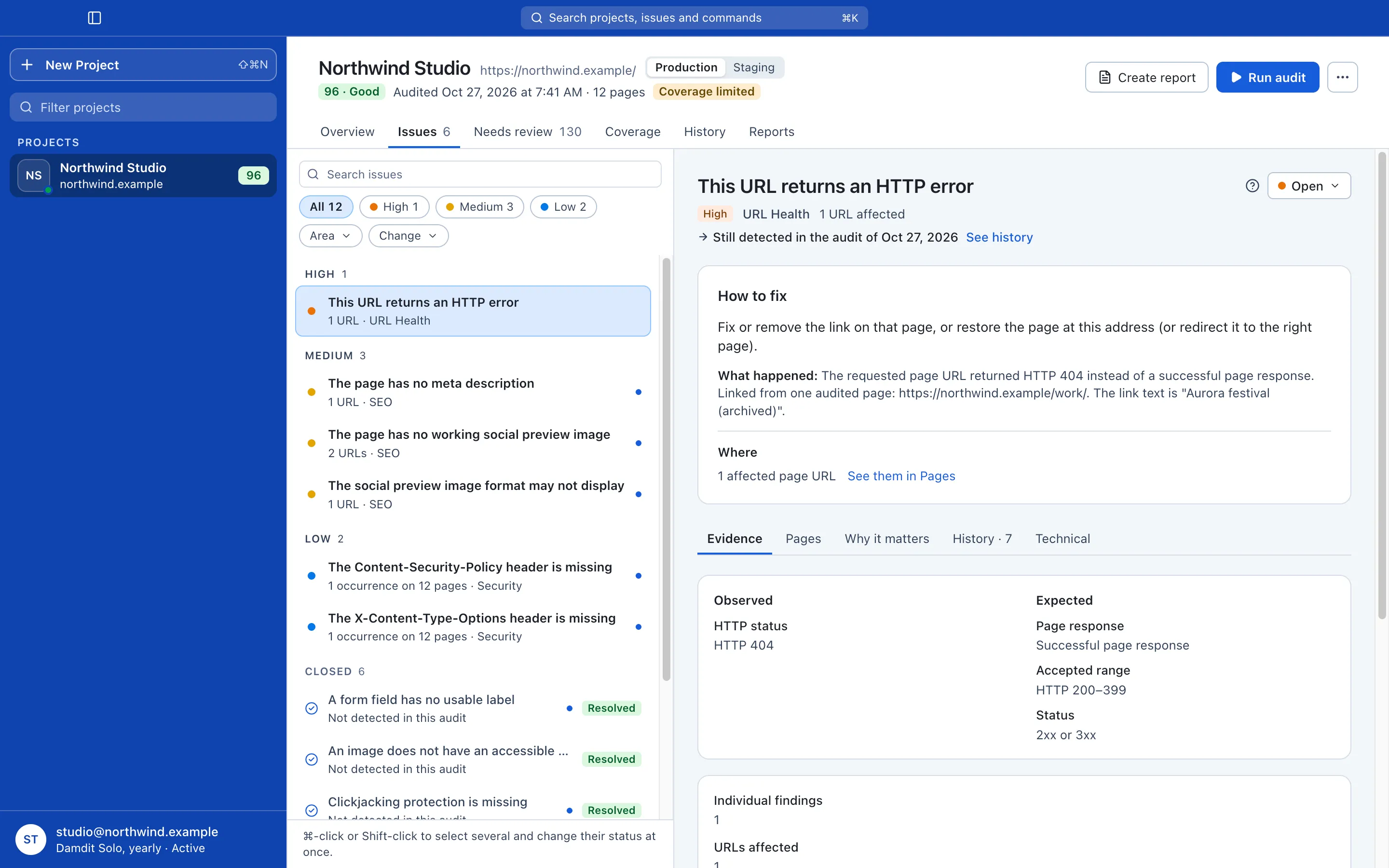
Damdit works the same way. Each issue comes with its evidence: the exact element it found, the pages it found it on, and what the result should look like. “Missing alt text” is not a vibe. It’s this image, on these 14 pages, and here’s what a fix looks like.
So when a developer asks “where?”, or a client asks “says who?”, you have the answer on screen.
It admits what it couldn’t check
Here’s the part most audit tools quietly skip. When a check can’t run, a page times out or a module isn’t connected, the result often just… looks green.
Damdit doesn’t do that. A missing result is never a clean result. The Coverage tab shows exactly what the audit reached and what it didn’t, and why. Checks that need a human eye wait in Needs review instead of pretending to be bugs.
It’s less impressive than a 100/100 score. It’s also true.
It proves what changed
You fixed the issues. Now what? Run the audit again.
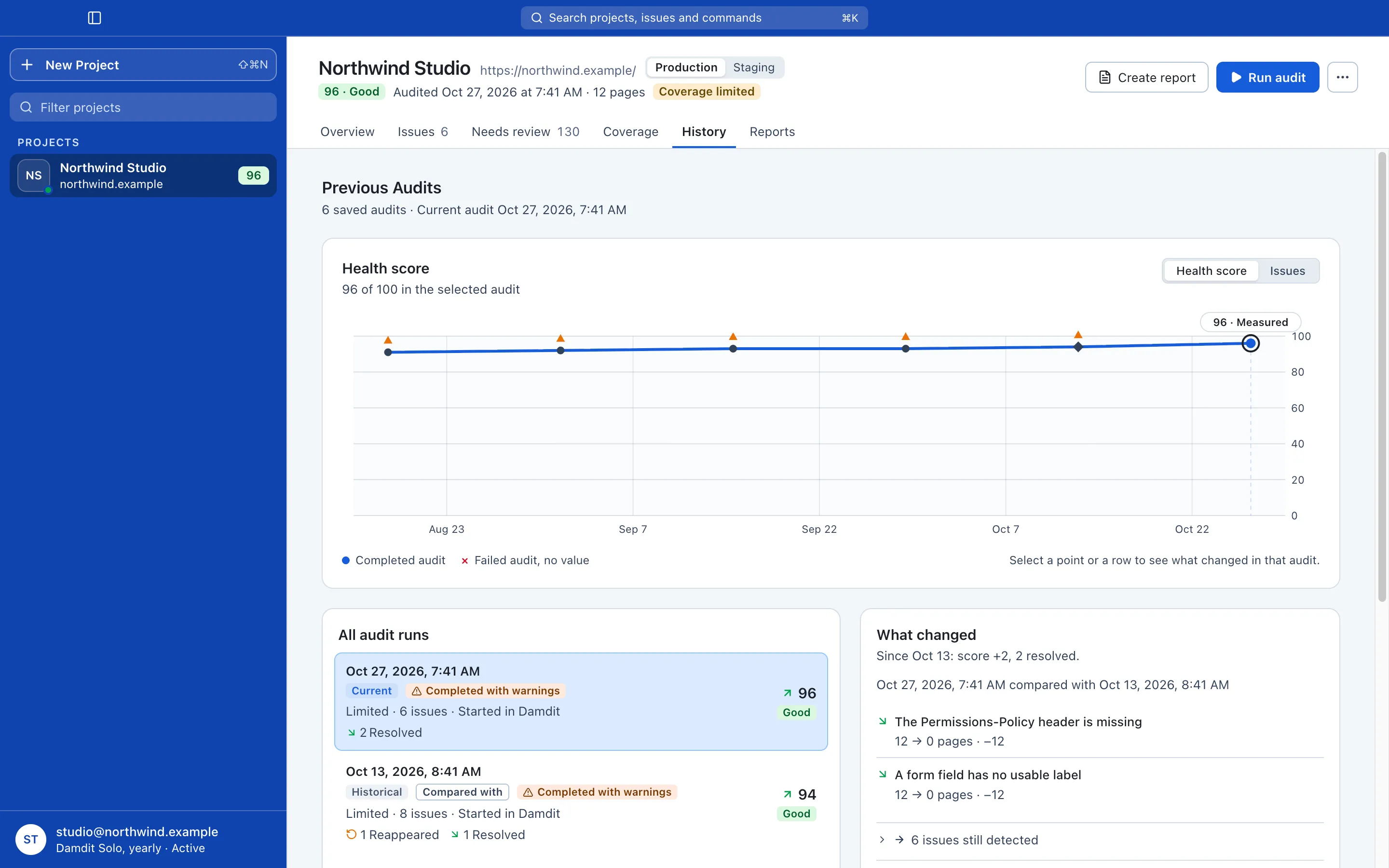
History puts the two audits side by side: what’s fixed, what’s new and what’s still there. That’s the screenshot you send with your invoice. Or skip the screenshot and create a report from the same audit: a clear one for the client, a detailed one for the developer, and a structured one for your AI tools.
It fits the way you already work
- Webflow? Connect the site with a read-only token and Damdit also checks your CMS collections and assets, the parts nobody can see from the outside.
- Google Search Console and PageSpeed Insights plug in as optional modules, with real-visitor data from Chrome where Google has it.
- Scheduled audits run in the background, and the queue audits several client sites one after another while you do something else.
- Claude Code, Cursor and friends can read your audits and start new ones through the
damditcommand and an MCP server. Ask your AI what to fix first and it answers from real evidence, not a guess.
It stays out of your way
Damdit only reads your website. It never changes or publishes anything. Your projects, audits and reports live on your Mac, not in somebody’s cloud dashboard.
And to be candid about what 1.0 isn’t: it doesn’t fix your site for you, it isn’t a 24/7 uptime monitor, and for now it’s Mac only, on Apple silicon with macOS 14 Sonoma or later. Windows and Linux come later.
Try it on a site you know
Pick the client website you know best and run an audit. If Damdit finds nothing you didn’t already know, you’ve lost ten minutes. I’d bet it finds something.
It’s free for 14 days, no card needed. After that it’s €12.99 a month or €119.88 a year (plus VAT), for up to two computers.
Questions, ideas or a finding that looks wrong? Reply on Mastodon or write to support@damdit.com. I read everything.
— Tony